Feature Updates:
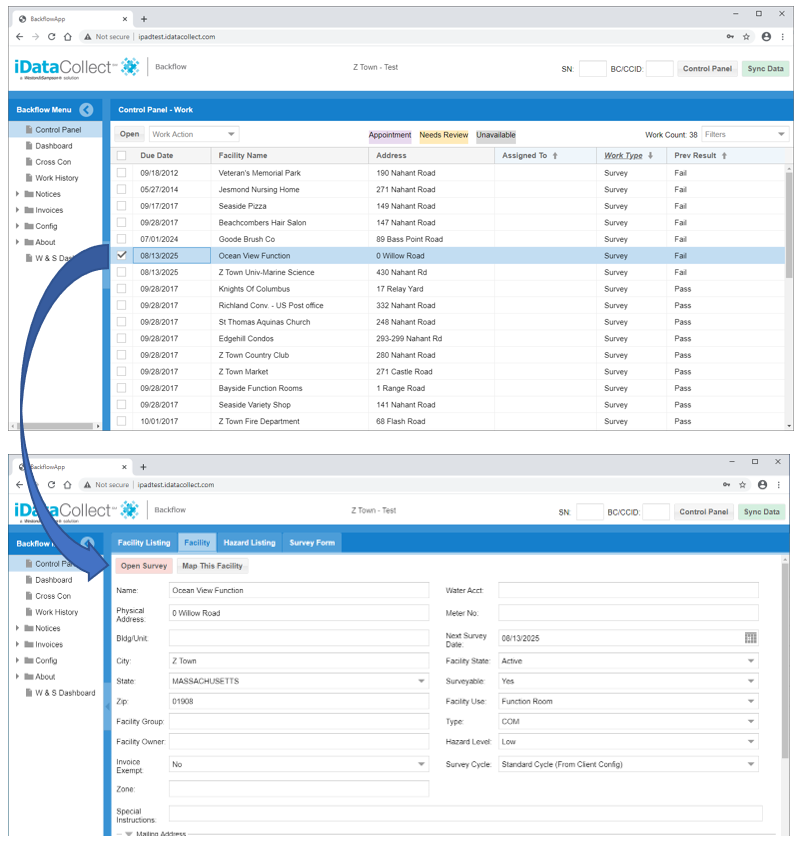
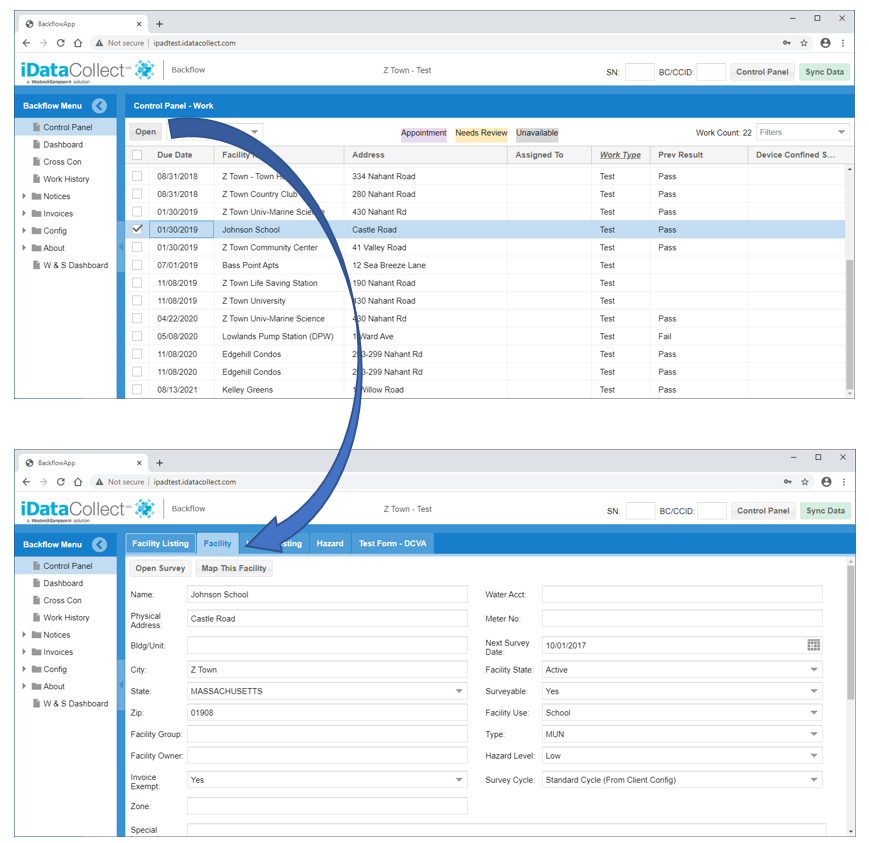
1. Control Panel - Test Work now opens to Facility screen.
- The behavior when you open a piece of Test work from the Control Panel, has changed.
- Previously the screen would move to the Hazard screen.
- Now it will move to the Facility screen.
- The Hazard screen will still be populated with all the information and the test tab will still appear and be filled out.
- This behavior mimics the behavior of opening Survey work.
2. Hazard Screen – Confined Space field added
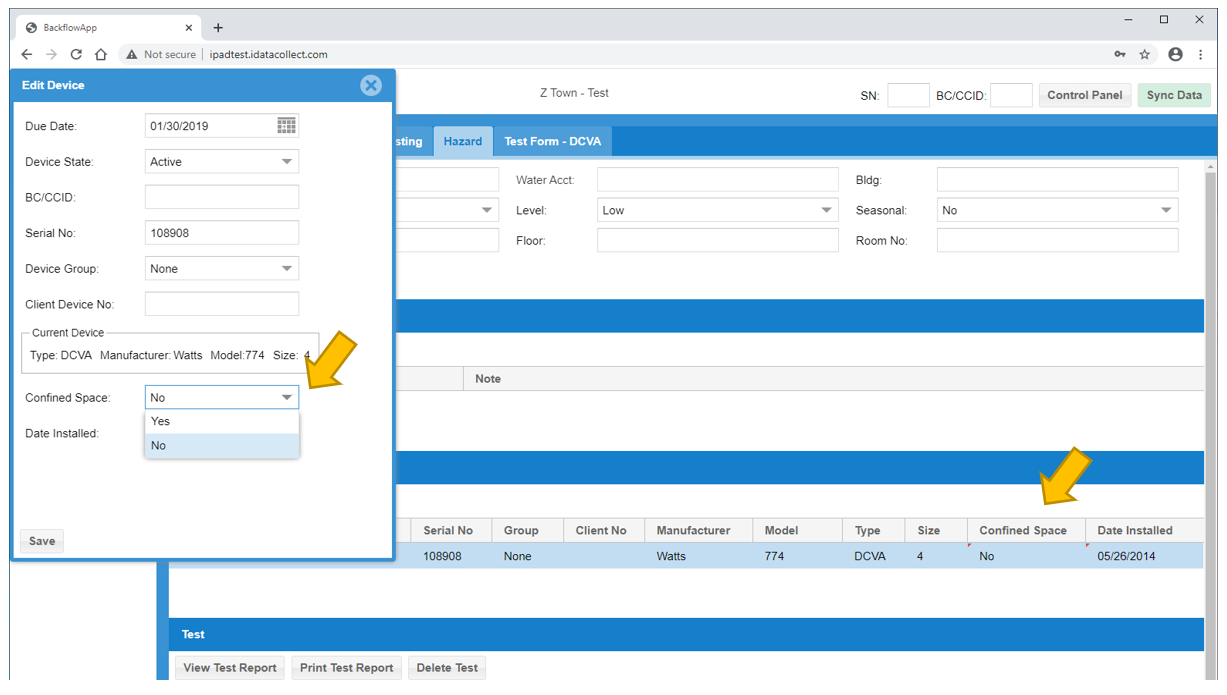
- A new field has been added to the Hazard screen device grid.
- This field is called Confined Space and is used to denote if the device is considered in a confined space.
- A value will be required when adding or editing a device. Valid values are Yes and No.
- The default when adding a device will be No.
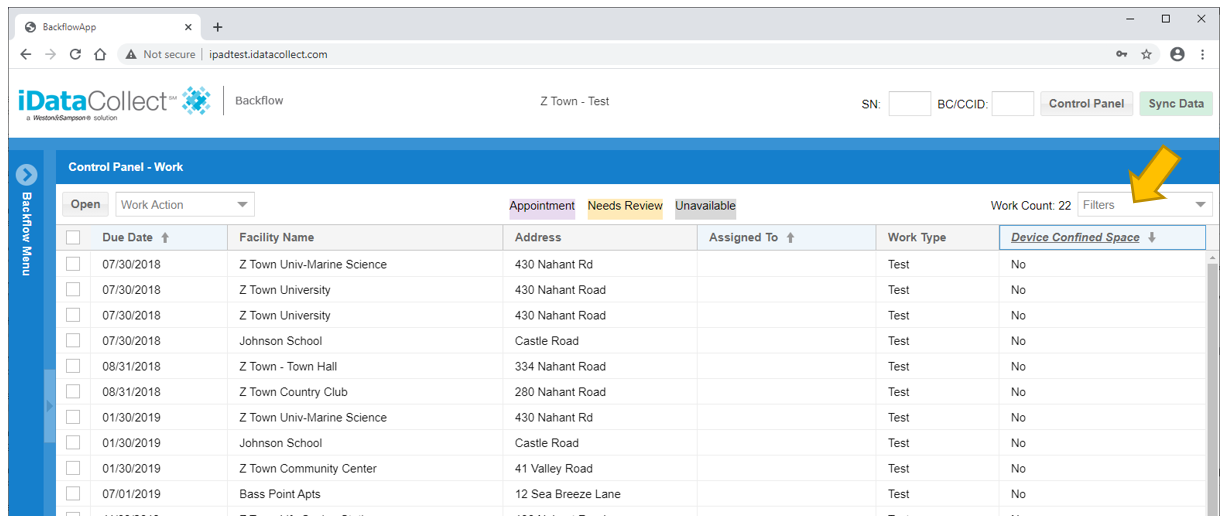
- The Device Confined Space field has also been added to the Control Panel and can be filtered.
3. Facility Screen – Open Survey Button Red Color Indicator
- The Open Survey button on the Facility screen will turn red if the survey for that facility is in a failed state.