The iDataCollect system enables users to upload a CSV file (spreadsheet) with information to be bulk-loaded into a form. This provides the end user with critical information in the field without the hassle of having to enter redundant data.
STEP 2 is to add data to the template and save in the proper format for sucessful upload.
NOTE: The columns in the CSV template may not be in the same order as the form. If changes are made to the field data type after the initial form creation those changed fields move to the end of the spreadsheet. This will not affect the import as the system will match data by the column header.
DO NOT EDIT THE HEADER ROW INFORMATION IN THE CSV FILE
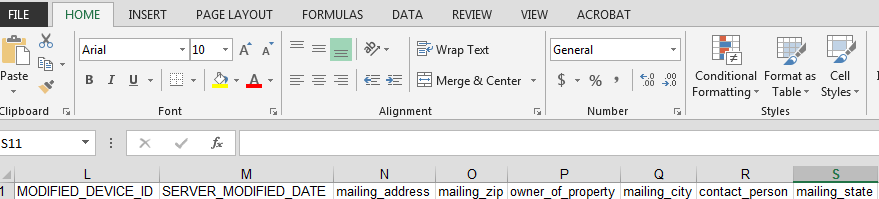
Edit the spreadsheet to add data you would like to see on the form into the appropriate columns:

After all data has been input into the spreadsheet save it in a CSV (Macintosh) format:
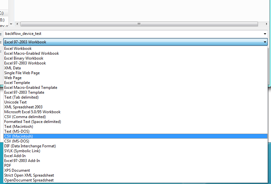
Excel will pop-up warnings when saving a file in this format, click ok through any warnings you recieve. Save the spreadsheet to a drive that is accessible to you from the iDataCollect website.