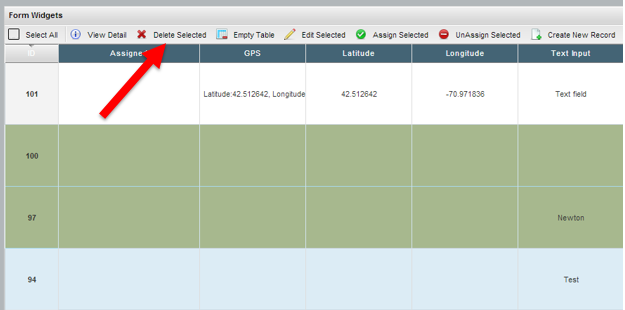
Please be careful when deleting records, this action CANNOT be undone!
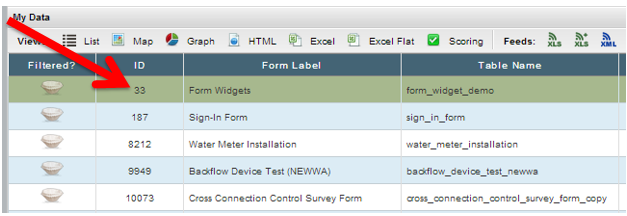
From the Data Tab locate the form where the record resides.
Click the ID Hyperlink to drill down into the List View of the form:
Locate the record(s) that you want to delete and click on the row to highlight the record:
(NOTE: multiple records can be selected by holding the control key)
Click "Delete Selected"