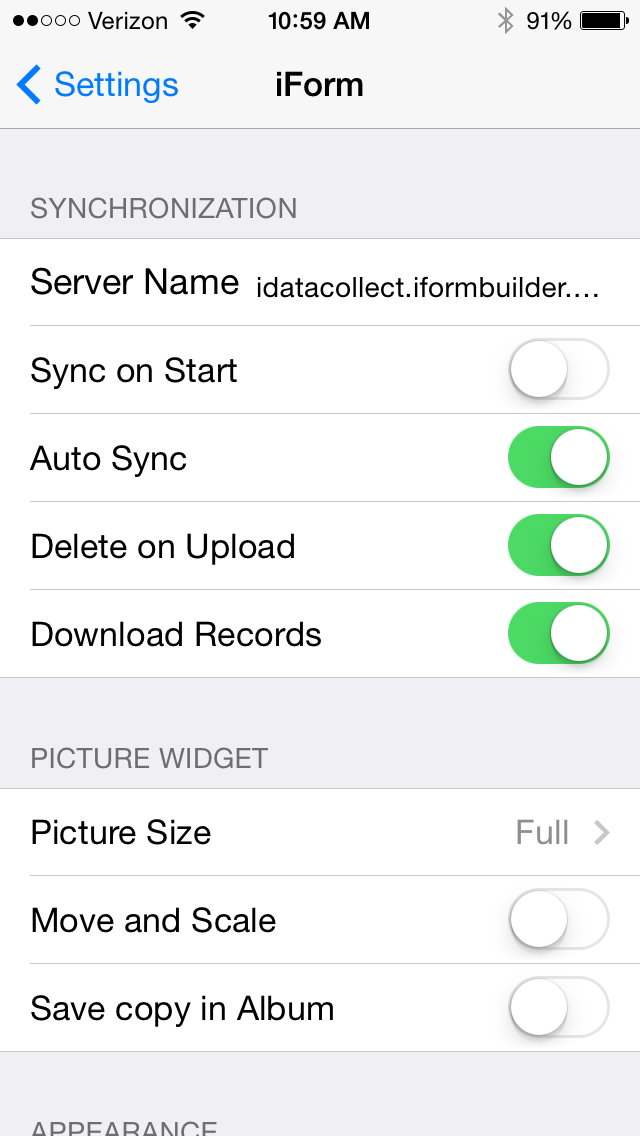
Sync on Start, when enabled, will automatically sync everytime the app is opened.
To enable Sync on Start navigate to iPhone Settings:

Scroll down to the apps section and click on iForm.
Click on the button to the right of Sync on Start to turn it on/off; the button will be green when on: