The iDataCollect system enables users to upload a CSV file (spreadsheet) with information to be bulk-loaded into a form. This provides the end user with critical information in the field without the hassle of having to enter redundant data.
STEP 1 is formatting the CSV template to enter pre-populated data in.
To download the CSV template for a new form (where no completed records have uploaded) requires the entry of a dummy record entered into the form.
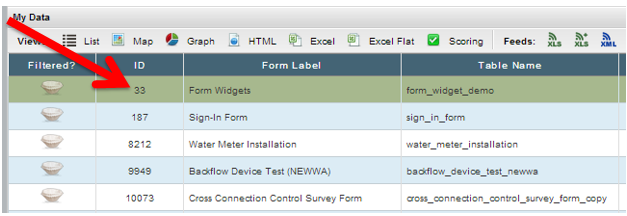
From the Data Tab - click on the ID hyperlink for the form:
Click on Create New Record:

Enter some test data into this record and click SAVE.
Navigate back to the Data Tab
Click on the form you need the template for, (it will be highlighted in green)
Under Feeds section, click XLS:

This will download the excel template for pre-populating data.