The iDataCollect system enables users to upload a CSV file (spreadsheet) with information to be bulk-loaded into a form. This provides the end user with critical information in the field without the hassle of having to enter redundant data.
STEP 3 is to upload the completed CSV file into iDataCollect so data from the CSV file will appear on iDataCollect forms.
From the Data Tab find the form to upload data into and highlight it by clicking on the form name (once highlighted the entire row will be green):

Click on the “LIST” icon in the Views heading:

Click on “Upload CSV Data”
Under the section ‘File to import’ click Browse:
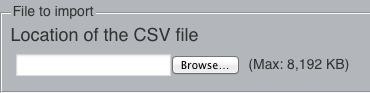
Locate the file and click Open
Scroll down to the bottom of the iDataCollect website
Click on the “Go” icon in the far right hand bottom corner: 